
Anime Couple: Avatar Maker
RevivoskinArt & Design
3.964.00 Reviews
- Version
- 1.2.1
- Installs
- 1.00M
- Age Rating
- Everyone
Screenshots
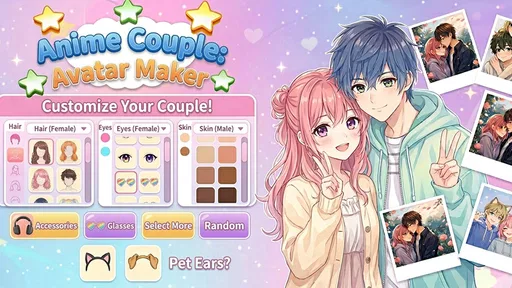
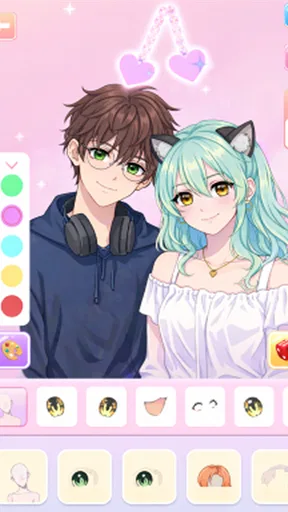
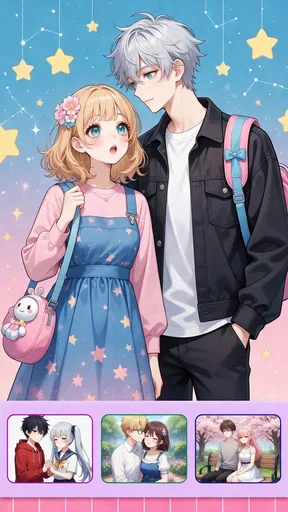
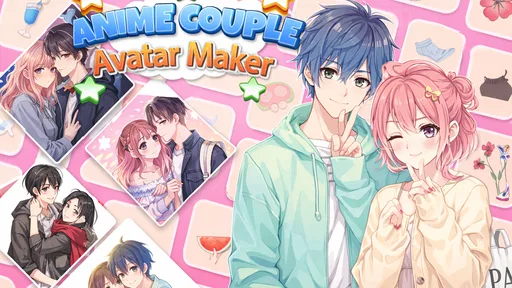
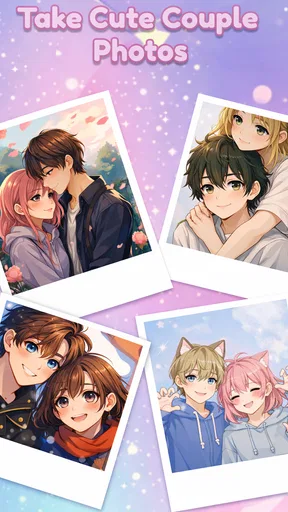
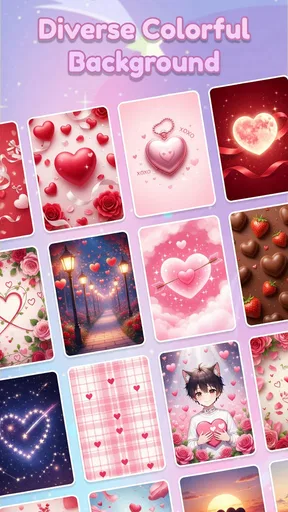
Our Review of Anime Couple: Avatar Maker
 Analysis by Appyee
If you want a quick way to turn a relationship into a cute illustrated profile image, Anime Couple: Avatar Maker is an easy place to start. I found its appeal immediately: instead of building a detailed character from scratch, you work toward a paired anime-style portrait that feels made for two people. That makes it useful for matching profile pictures, private messages, social posts, or simply a small creative project with a partner or friend.
The app comes from Revivoskin and sits in the Art & Design category. It is free to use, rated for Everyone, and supports devices running Android 7.0 or later. Its current version is 1.2.1, and the app has already passed over one million installs. Those figures suggest that the concept is easy to understand, but popularity does not remove the need to know what the experience is actually like. My impression is that this is a focused avatar creator rather than a full illustration studio.
What the first session feels like
The first thing to understand is the app’s intended pace. You are not opening a complex drawing workspace with layers, brushes, and a long learning curve. You are looking for a fast visual result, especially one that presents two characters as a couple. That narrow focus is a strength when you want something attractive without spending an evening learning design tools.
I would recommend approaching it with a small goal: make one usable image first, then experiment. Trying to create the perfect couple portrait immediately can make any avatar maker feel more limited than it really is. A simple first attempt lets you judge the available visual choices, the way the characters sit together, and whether the overall anime look matches your taste.
The store summary promises that creating a couple avatar takes only a few steps, and that matches the general idea of the experience. The important word is “couple.” This is not primarily a tool for making a single highly customized character. Its value comes from the relationship between the two figures, so the result works best when you think about them as a pair rather than as separate portraits.
That focus also makes the app approachable for people who do not consider themselves artistic. You do not need to know how to draw faces, balance colors, or compose a scene before trying it. Instead, you can make visual decisions one at a time and see how they affect the shared image. For a first-time user, that is much less intimidating than opening a blank canvas.
One practical expectation is worth setting early: a quick avatar maker is best for expressive, ready-to-share images, not for exact likenesses. If your goal is to reproduce every facial detail of two real people, a photo editor or a more advanced character-design tool will probably serve you better. If your goal is to capture a mood—sweet, playful, romantic, or coordinated—this app makes more sense.
Getting ready without overthinking the setup
Installation should be straightforward for compatible Android devices, and the free price makes it easy to test without committing money first. I would still begin with the idea you want the finished image to serve. A matching profile picture needs a clear composition at a small size, while a personal greeting or post can tolerate more visual detail.
Before making selections, decide whether you want the two characters to look coordinated or contrasting. Matching colors can make the pair feel deliberately connected, while different styles may communicate personality. This small decision helps prevent random tapping and gives the first session a direction.
It is also useful to choose the intended audience. An avatar for a private chat can be more personal and playful. One for a public profile benefits from a clean, readable design that still makes sense when displayed small. Thinking about the destination first is one of the easiest ways to get a better result from a limited creation workflow.
The app’s Everyone content rating also makes it suitable for a broad audience, including younger users who want to create a friendly anime-style image. Even so, I would guide a child through the first use rather than assume every design choice will be obvious. The creative task is simple, but the best outcome still comes from having a clear idea of what the image should communicate.
Reaching the first meaningful result
For a satisfying first attempt, I would build the image in stages. Start by choosing the general look of the couple, then pay attention to how the two characters relate visually. After that, review the image as a whole instead of judging each character in isolation. A hairstyle or expression that looks good alone may feel unbalanced beside the other figure.
This is where the app is more useful than a generic single-avatar generator. The pair gives you an immediate composition to evaluate. Ask yourself whether both characters are equally visible, whether their expressions suggest the mood you want, and whether the colors compete with each other. Those questions are more helpful than endlessly changing one small detail.
A realistic everyday use case would be preparing matching profile images before a trip or anniversary. I would create a coordinated pair, save the version that remains readable at a small size, and use it in a messaging profile or social account. Another good use is a quick digital greeting: the couple format gives a personal touch without requiring you to design a complete card.
The best first success is not the most detailed avatar; it is the one that clearly communicates the relationship and still looks good when reduced in size. That principle prevents a common mistake: adding so many competing choices that the final image loses its charm.
If you are making avatars for two real people, resist the urge to force an exact physical match. A recognizable shared mood often works better than trying to imitate every feature. Choose complementary appearances, then use expressions and overall styling to suggest personality. The result will feel intentional even when the available customization is stylized.
Where new users may hesitate
The main source of confusion is likely to be the difference between a couple-focused creator and a general art application. Someone expecting freehand drawing tools may wonder why the process feels guided. That is not necessarily a flaw; it is the trade-off that keeps the app quick. You gain speed and accessibility, but you give up the control associated with professional illustration software.
Another point of friction is judging the pair as a composition. It is easy to spend time perfecting one character and then discover that the two figures do not feel balanced together. I recommend alternating your attention between them. After every major change, look at the complete image and ask whether the couple still reads as a unified design.
Users may also confuse “anime couple” with “romantic couple only.” The format can work for partners, best friends, siblings, or fictional characters, depending on the mood you choose. That wider interpretation makes the app more flexible than its name first suggests, although its strongest identity remains paired, affectionate-looking artwork.
The free model is another practical consideration. It removes the financial barrier to trying the app, but free creative tools often require patience with the available choices and workflow. I would not install this expecting the breadth of a paid design suite. Install it when speed, simplicity, and a cute paired result matter more than precise control.
Its average rating is 3.9 from around three and a half thousand ratings, with 64 written reviews. I read that as a mixed but respectable signal: many people will find the basic idea useful, while others may want more depth or flexibility. The rating fits my own balanced view. The app has a clear purpose, but that purpose is narrower than the broad label of avatar creation might imply.
Making the second attempt better
Once the first image works, the next step is to create variations for different situations rather than endlessly polishing one design. Try a version intended for a profile picture, another for a celebration message, and a third with a more casual mood. This approach helps you discover whether the app has enough visual range for your needs.
A useful workflow is to keep the composition consistent while changing only one idea at a time. For example, maintain the same general pairing but alter the mood, or keep the mood and experiment with contrasting character styles. Comparing controlled variations makes it easier to understand what actually improves the image.
Another non-obvious advantage of a paired format is consistency across accounts. Two coordinated avatars can make a shared group, couple profile, or chat identity immediately recognizable. That is more effective than choosing two unrelated character images, especially when the goal is to show a connection without writing an explanation.
I would also use the app as a planning tool for a larger creative project. A quick avatar can help you decide on the visual relationship between two original characters before you commission artwork or draw them in detail. It will not replace a full illustration workflow, but it can give you a fast sense of color direction, personality, and pairing.
On the other hand, people who need professional export control, detailed anatomy, custom poses, or a large library of artistic tools should skip this app and choose a dedicated drawing or character-design application. The same is true if your priority is editing an existing photograph. Anime Couple: Avatar Maker is more appropriate when you want a guided, stylized result from a simple starting point.
How it compares with familiar alternatives
Compared with a standard photo editor, this app is faster for creating a deliberately illustrated couple image. A photo editor gives you more control over real pictures, cropping, retouching, and text, but it also asks you to make more design decisions. If you want an anime identity rather than a polished photograph, the focused approach here is more convenient.
Compared with a full drawing app, it is much easier to begin. Drawing software offers layers, brushes, manual corrections, and far greater freedom, but those benefits come with a learning curve. I would choose the drawing app for a character sheet or a carefully composed illustration, and choose this one for a quick matching avatar that can be finished in one sitting.
Compared with a single-character avatar generator, the defining benefit is the built-in emphasis on two people. You do not have to force two separate creations into a shared concept afterward. The limitation is equally clear: if you only need one highly individualized avatar, a single-character specialist may offer a more suitable workflow.
That comparison explains who should install it. It is a good fit for couples, friends, casual creators, and anyone who wants a friendly anime-style image without learning illustration software. It is less suitable for designers who need precision, users who want realistic portraits, and people who dislike guided templates or limited creative boundaries.
My recommendation after using the workflow
I like the app because it understands its central use case and does not make the first step feel like a design assignment. The combination of a free price, an Everyone rating, and a focused couple-portrait concept makes it approachable for a broad audience. Revivoskin has aimed at a small but recognizable creative moment: making two people look connected in a playful illustrated form.
My advice is to install it with one concrete purpose, such as a matching chat image or a digital greeting. Make the first version quickly, inspect the pair at the size where you will actually use it, and then create a second version with one meaningful change. That workflow reveals the app’s strengths faster than trying to explore every possibility before saving anything.
The result will not satisfy everyone. Its simplicity can feel restrictive if you want detailed drawing control, and its couple-centered design is not the right starting point for every avatar project. Still, for a first-time user seeking a sweet anime-style pairing without a complicated setup, it is a practical and approachable choice.
I would recommend Anime Couple: Avatar Maker when the goal is a charming shared identity, not a fully custom illustration. It succeeds by making that one task understandable and quick, while its limitations are easy to accept if you choose it for the right reason.
Verdict
Strengths of Anime Couple: Avatar Maker
- Large selection of anime hairstyles, outfits, and accessories
- Simple controls make character creation accessible for beginners
- Useful for designing profile pictures, wallpapers, and story characters
- Cute visual style suits fans of romance and anime themes
- Finished avatars can be saved and shared with friends
Limitations of Anime Couple: Avatar Maker
- Some customization items may require watching ads or making purchases
- Character poses and backgrounds can feel limited
- The app may become repetitive after creating a few avatars
- Exported images may not offer many resolution or format options
- Occasional ads can interrupt the avatar design process
Other Releases by Revivoskin
View All
Dreamcore & Weirdcore Maker
Art & Design3.0

FPE OC Maker: FPE Stickers
Art & Design3.6
Similar Picks in This Category
View All
Canva: AI Photo & Video Editor
Canva4.8

PENUP – Drawing-sharing SNS
Samsung Electronics Co., Ltd.4.5

Crafto
Kutumb App4.6

Sketchbook
Sketchbook4.1

ibis Paint X
ibis inc.4.5

Adobe Express: AI Photo, Video
Adobe4.6
Frequently Asked Questions
What is Anime Couple: Avatar Maker?
Anime Couple: Avatar Maker is a character-creation app focused on designing anime-style couples and matching avatars. It lets you customize features such as hairstyles, faces, outfits, colors, accessories, poses, and backgrounds. After creating your characters, you can usually save the result to your device or share it online, making it useful for profile pictures, wallpapers, stories, and fan-made couple illustrations.
Is Anime Couple: Avatar Maker free to download and use?
The app can generally be downloaded for free, but some content may be limited until you watch advertisements or unlock optional items through in-app purchases. Depending on the version installed and your device’s store region, premium clothing, accessories, backgrounds, or ad-free features may differ. It is worth checking the listing and purchase details before downloading if you want access to the complete customization catalog.
What customization options are available in the app?
The main appeal is the variety of anime-inspired customization tools. You can typically adjust the appearance of two characters, including hairstyles, eyes, skin tones, facial details, clothing, colors, accessories, and decorative elements. Couple-focused layouts may also include different poses, expressions, backgrounds, and romantic themes. The exact selection can vary, but the app is designed for creating coordinated characters rather than a single avatar only.
Can I save and share the anime couple avatars I create?
After finishing a design, the app usually provides an option to save the image to your device or share it through compatible social and messaging applications. Before exporting, check whether the image includes a watermark, advertisements, or a particular resolution. If you plan to use the avatar publicly, remember that the app’s assets may be intended for personal or casual creative use, so review any applicable usage terms.
Does Anime Couple: Avatar Maker require an internet connection?
Basic avatar creation may work offline once the application and its available assets have been installed, but certain functions can require an internet connection. Advertisements, optional downloads, cloud-related features, sharing tools, and some premium content may not work without connectivity. Performance can also depend on your phone’s memory and operating system version, so keeping the app updated is recommended for the smoothest experience.
